ALC-4096 LCD Controller Board
- LCD support: 4096x2160, 10-Bit
- Panel connectivity: V-by-One, eDP (4 link)
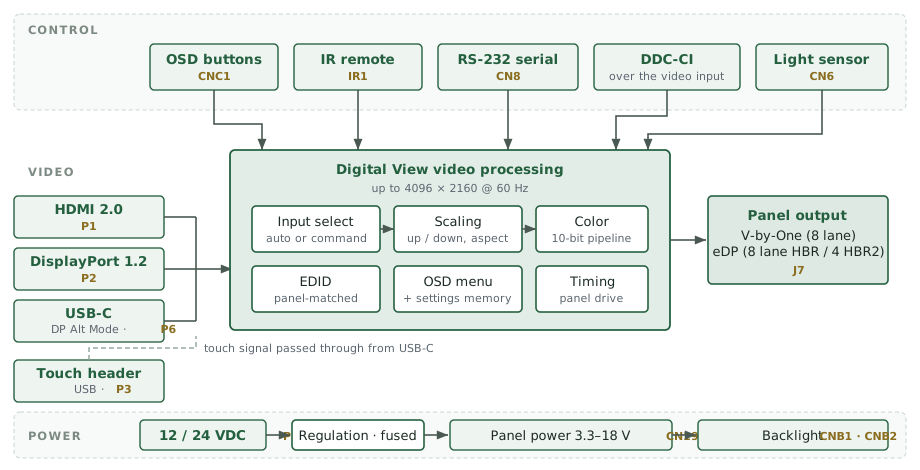
- Inputs: HDMI, DisplayPort, USB-C
- Touch screen pass-through
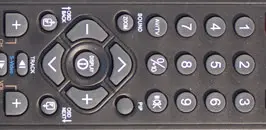
- RS-232, IR remote, DDC-CI control
- Power: 12VDC / 24VDC
- Board Size: 127mm x 101.6mm x 16mm (max)
- Customization: Splash screen, EDID, conformal coating, re-layout
- Part number: 4178900xx-3
- Availability: In stock
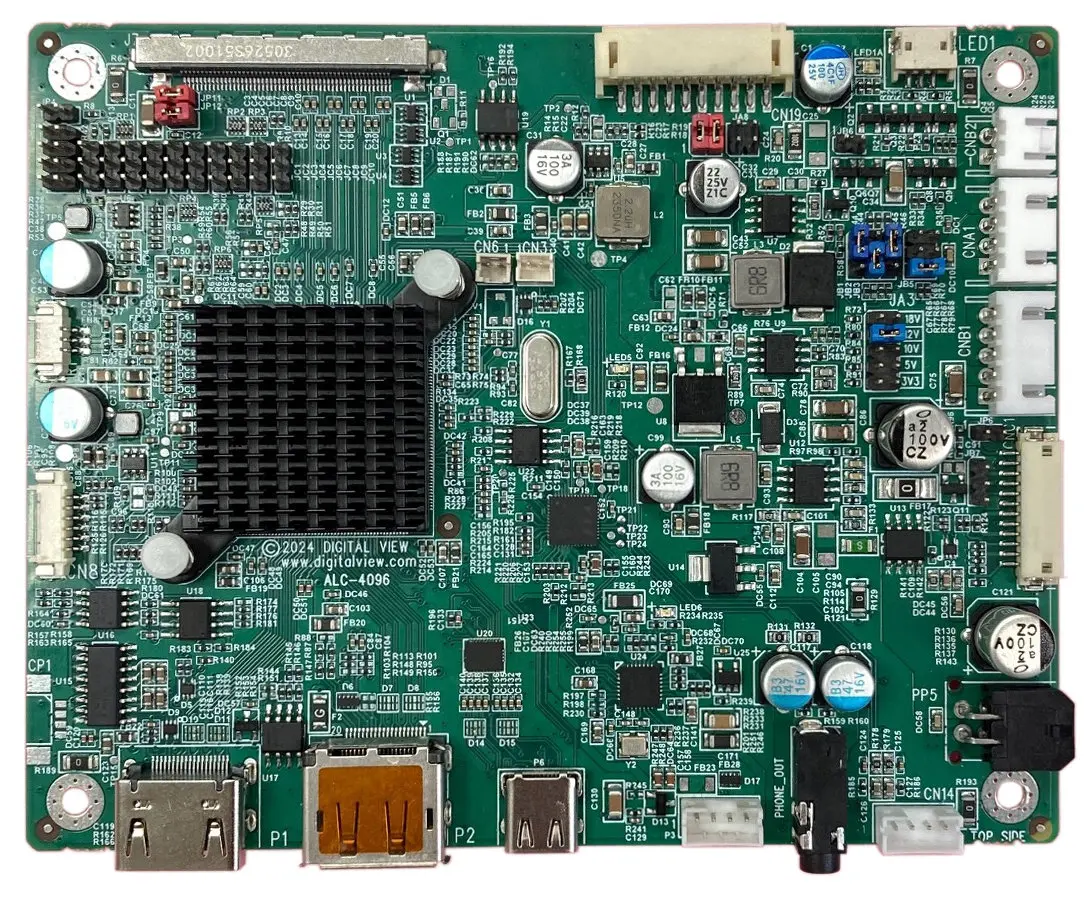
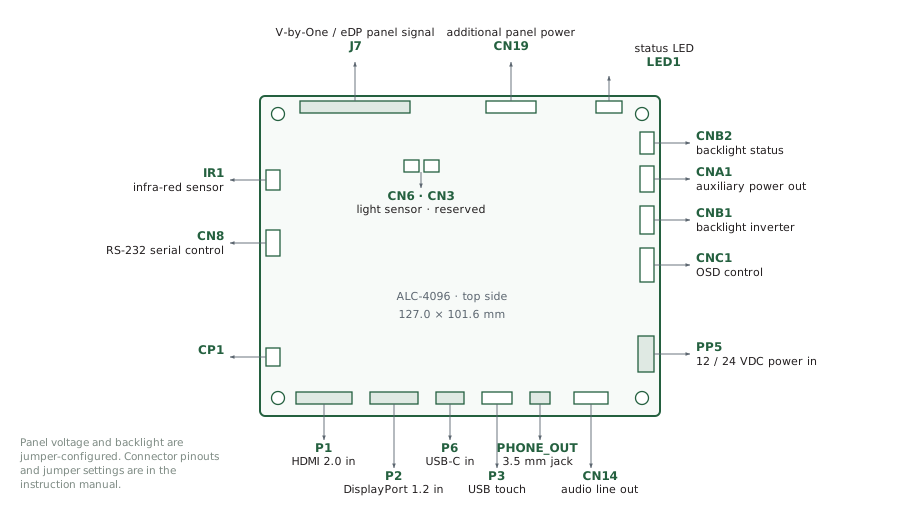
ALC-4096 - top side
➡ USB-C for 4K Video, serial control, and touch
The ALC-4096 LCD controller is an interface board converting video signals from HDMI, DisplayPort, and USB-C to the signals required by compatible LCD panels, such as those from Tianma, AUO, BOE, Innolux, LG Display, Samsung, Sharp, and others. It also provides image management, monitoring, and control features for the finished monitor or display system. The ALC-4096 is supported by a wide selection of panel connection cables and other accessories together with system development documentation, 3D drawings and engineering support for customization.
The feature set ensures suitability for many commercial display applications, including kiosks, industrial, medical, security, digital signage, and corporate AV. A full summary of Digital View LCD controllers can be seen here: LCD Controller Summary.
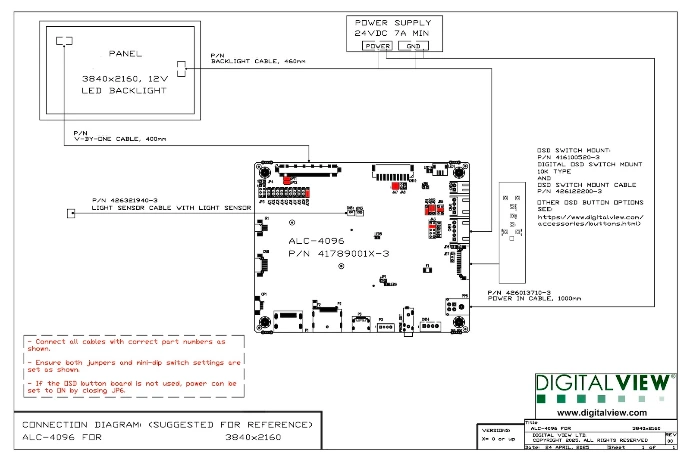
Controller Solution Generator (CSG)
the Digital View online database to match LCD panels and controllers
Specifications: ALC-4096
Overview
LCD Panel Connectivity
- Panel resolutions: 4096x2160, 3840x2160
- Panel connection: V-by-One, eDP (4 link)
- Colors: Up to 10 bit per color (ie 1.06 billion colors)
- Panel Power: Support for 3.3V, 5V, 10V, 12V, 18V (note, separate power input for high power LCD panels)
- Backlight brightness control: DPMS enable pin (3.3V or 5V), Analog or PWM brightness control via serial port controller
- Panel Matching & Connection Diagrams: For Connection Diagrams showing setup details for connecting specific LCD panels see the Digital View Controller Solution Generator, click here.
- Customization: Contact us for details of customization options.
- ESD protection diodes on the video inputs are available as a factory-fit option — contact us to specify
Scaling & Color
- Up/Down scaling to fit input to panel resolution and aspect ratio, plus specific aspect ratio modes (Full, 16:9, 4:3, 5:4, 1:1)
- Dynamic video image processing
- Firmware level options
Input: USB-C (x1)
- Video Input (USB-C Alt Mode):
- up to 4096x2160, @60Hz
- up to 1600x1200, @75Hz
- 480p, 576p, 720p, 1080p, 4k/30/60 - Signal Pass-through: Touch signal to an internal header
- RS-232 via USB-C (board rev 30)
Input: HDMI 2.0 (x1)
- up to 4096x2160, @60Hz
- up to 1600x1200, @75Hz
- 480p, 576p, 720p, 1080p, 4k/30/60
Input: Displayport 1.2 (x1)
- up to 4096x2160, @60Hz
- up to 1600x1200, @75Hz
- 480p, 576p, 720p, 1080p, 4k/30/60
Touch header
- Internal USB 2.0 header for touch panel controller connection. This is a pass-through from the USB-C connector.
Controls & Interface
- On-screen display (OSD) menu with buttons, IR remote control
- Extensive RS-232 commands can be called by buttons, serial port (RS-232), USB-C, I2C
- DDC/CI is supported on HDMI, DisplayPort, and USB-C
- Control functions table downloads: html, PDF
- Note: Full details are available from the Manual in the Downloads section of this page.
- Status indicators: dual-color LED — green for valid video on the selected input, red for no signal or soft power off, green + red if the board fails to boot. Separate panel-power LED
- Plug & Play: DDC 1.2/b compatible, DDC-CI control
Functions
Basic: Backlight brightness, Contrast, Color Temperature, Gamma (five presets: 1.8, 2.0, 2.2 default, 2.4, 2.6), Saturation, Hue, Sharpness, Black level
Additional: Input source select, Auto source seek, Programmable hotkeys, Display rotate, OSD position, OSD timeout, OSD menu transparency, OSD menu orientation, System Information, Image scaling -Up/Down scaling to fit input to panel resolution & aspect ratio, Volume control, Onboard temperature sensor, support for ambient light sensor, Load factory defaults.
Note: The full command set is provided in the Manual in the Downloads section of this page, and software is available from the Software page.
Output: Audio
- Line out, stereo, no amplification.
- Supports Digital View audio add-on board with OSD volume control.
Power
- Power input: 12VDC or 24VDC ±5%
- Power draw, board only: 1.5W
- Power limit: 3A total current
- Power protection: fuse fitted (resettable type 2920L700/24SL on rev 2x–30; non-resettable on rev 20)
Performance
- Latency: 12 ms — measured with a Leo Bodnar Video Signal Input Lag Tester, HDMI input, Innolux M280DGJ-L30 panel
Mechanical & Environmental
- Board dimensions: 127.0 mm × 101.6 mm (5.00" × 4.00")
- Maximum height: 16 mm (15.65 mm measured)
- Mounting holes: 4 × 3.4 mm diameter, connected to the ground plane
- Recommended clearance: 5 mm below PCB, 10 mm above components, 3–5 mm around edges
- Operating temperature: 0°C to +60°C
- Storage temperature: −40°C to +70°C
- Operating humidity: 10 % to 90 % RH, non-condensing
- Storage humidity: 5 % to 95 % RH, non-condensing
- Board mass: approx. 90 g
- 2D and 3D drawings: see Downloads & Resources on this page
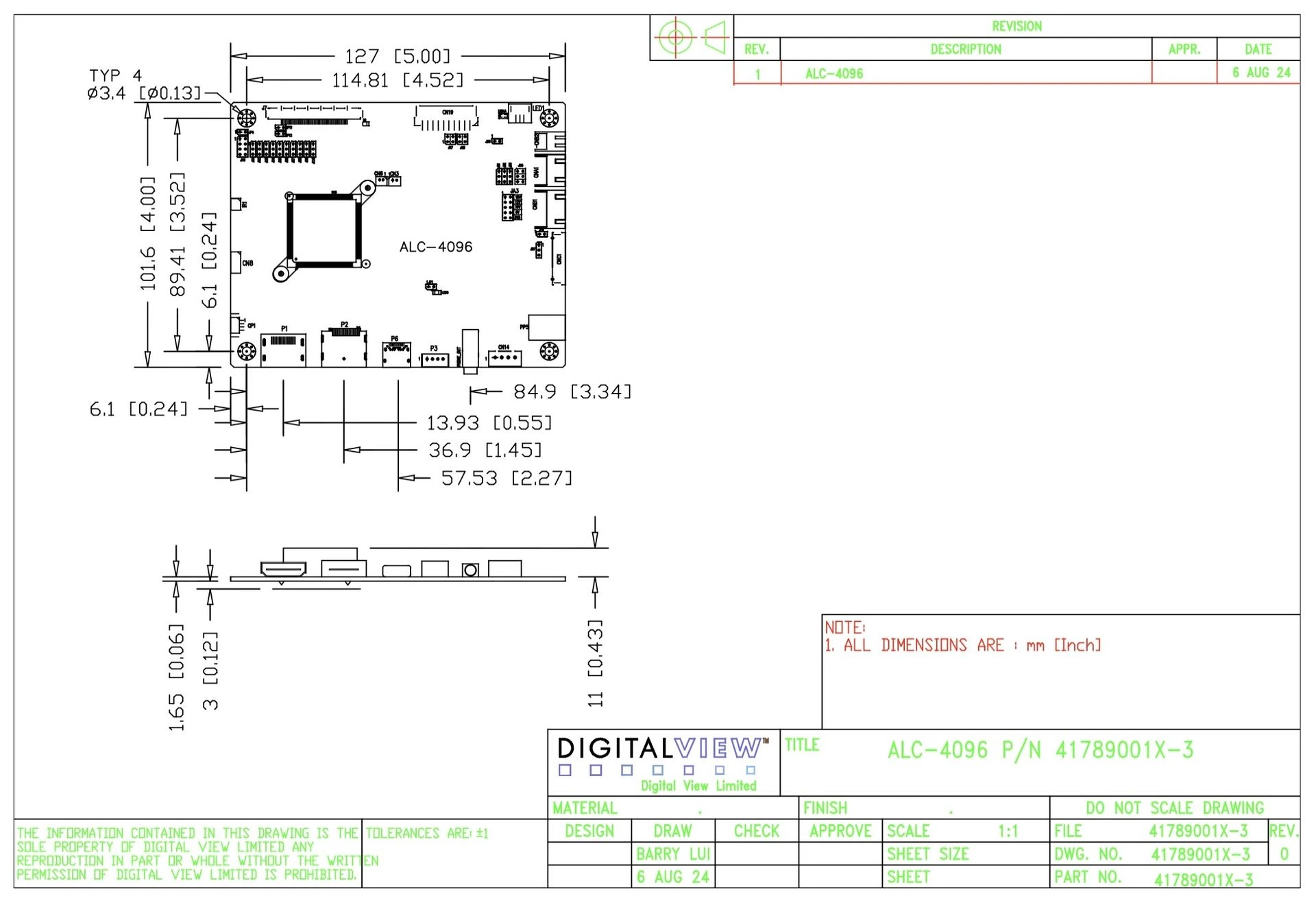
ALC-4096 dimensions, see downloads
Compliance & Lifecycle
- RoHS compliant
- REACH SVHC declared
- Conflict Minerals declared
- TAA compliant — manufactured in Taiwan
- Statement of Volatility: available, see Downloads & Resources on this page
- MTBF: in excess of 500,000 hours @ 25°C (calculated using Telcordia SR-332 procedure)
- Warranty: 3 years
Customization
(options*)
- Custom firmware and panel timing
- Video input timing support
- DICOM grayscale curve support
- Custom EDID
- Splash screen logo, ie start-up screen
- Custom hotkeys, menus, commands
- Build options to omit connectors
- Full PCBA relayout, conformal coatings & other hardware changes
- Software utilities or Apps for RS-232 control
*Note: Customization is subject to quote - engineering charges, and MOQ may apply. Ask us a Question
Build your own interface: RS-232 control
The ALC-4096 has an extensive RS-232 command set — backlight and brightness, input selection, image adjustment, power, panel timing, EDID, and status readback. That means the finished product does not have to use our on-screen menu: you can build your own interface, in your own branding, and drive the board from it.
The gallery below shows 21 worked examples — the same brightness function, presented twenty-one different ways. Each is a single, self-contained HTML file you can copy and make your own, and each sends a real command underneath.
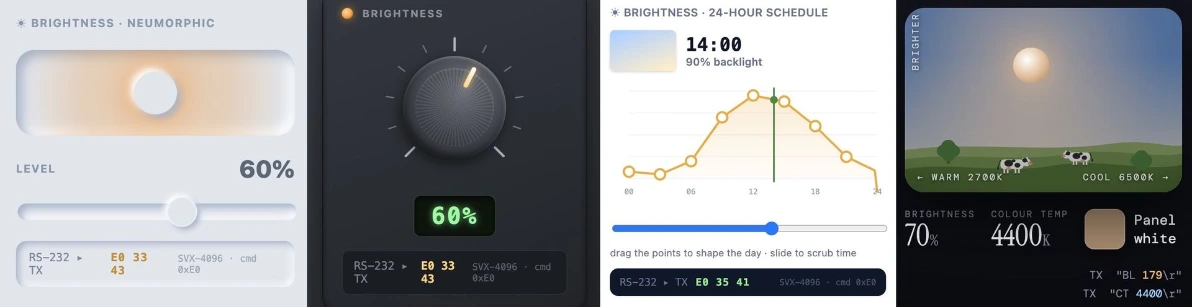
Examples from the Digital View UI Controls Gallery. Open the gallery to try each one live, copy its HTML or download it. (Click the image to enlarge.)
Try one here. This is a live example control — drag it, and it behaves exactly as it would in your own interface. It is a user-interface demonstration; it is not connected to a board on this page.
The commands themselves are listed in the ALC-4096 manual, with a general guide in Downloads & Resources below.
Downloads & Resources: ALC-4096
Brochure (PDF)
Manual (PDF)
Revision Note (PDF)
2D Drawing (PDF)
2D Drawing (DWG)
3D Drawing (SLDPRT, STEP)
Application Notes
Guide to using RS-232 commands, note that specific RS-232 commands are covered in the controller board manual. Gallery, https://ui.digitalview.com/
Control functions table: html, PDF
LCD Panel Connection Diagrams
Software Web Page
Link: Software web page
Includes applications for remote control, settings updates and more.
Compliance & Declarations
RoHS compliant · REACH SVHC declared · Conflict Minerals declared · TAA compliant
Documentation in Markdown — for AI tools and LLM ingestion
ALC-4096 Index
ALC-4096 Overview
ALC-4096 Specifications
ALC-4096 connectors
ALC-4096 installation
ALC-4096 RS-232 commands
ALC-4096 OSD
ALC-4096 revisions & compliance
FAQ
Frequently asked questions
The ALC-4096 supports LCD and OLED panels up to 4096x2160 resolution. You can get specific panel matching information from the Digital View Controller Solution Generator (aka the CSG).
Yes, the ALC-4096 provides 10-bit color support.
Yes, the ALC-4096 is TAA-compliant; it is manufactured in Taiwan.
Accessories ALC-4096
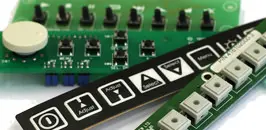
OSD Buttons
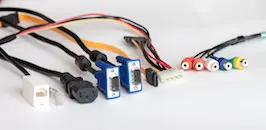
Cables
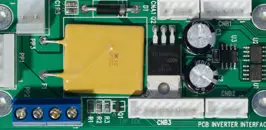
Backlight
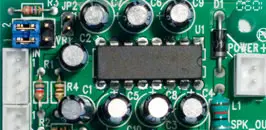
Audio Board