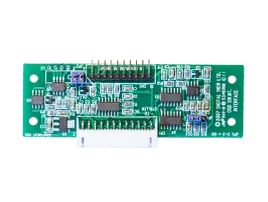
Buttons for On-Screen Display
On-Screen-Display (OSD) function buttons for use with Digital View LCD controllers. Choices include membrane type, mini button as well as custom button options.
Custom options: Complete custom design using mechanical click buttons or membrane type, including silicon rubber overlay versions, and capacitive. In addition custom programmed RS-232 buttons are available to order.
Links & Downloads
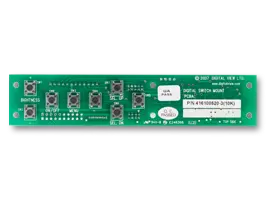
Mini Click Buttons: 8 button
- Works with: All controllers
- Button type: Momentary, mini click
- Buttons: Brightness +/-, Power, Menu, +/-, Up/Dn
- Part #: 416100520-3 button board, PDF, SLDPRT, STEP (3D)
- Part #: 426122200-3 cable, 150mm
Kit: Buttons; cable:
- KIT 67110-3 (PDF) for general use (diagram)
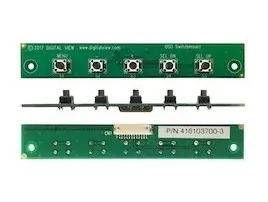
Mini Click Buttons: 5 button
Works with: SVX-4096 family, SP-4096, SP-1920, ALR-1400v2, HE-1400v2, DT-1920-HDMI-EDP
- Button type: Momentary, mini click
- Buttons: Menu, +/-, Up/Dn
- Power: Standby mode - hold MENU for 3-4 sec.
- Power: Power on - press MENU button
- Settings note: Close JP6 on the controller
- Part #: 416103700-3 button board. Dimensions: JPG image, STEP (3D)
- Part #: 426123010-3 cable, 250mm
Kit: Buttons; cable:
- KIT 67204-3
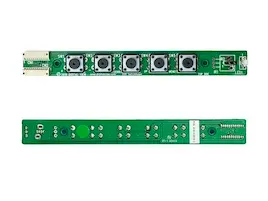
Mini Click Buttons: 5 button & IR, LED
Works with: SVX-4096 family, SP-4096, SP-1920, ALT-1920, HLT-1920, ALR-1400v2, HE-1400v2, DT-1920-HDMI-EDP
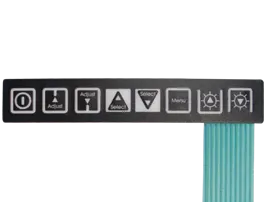
Membrane 8 Buttons - Horizontal
Works with: All controllers, uses an Interface board
- NOTE: At this time Brightness +/- is for analog backlight adjustment, not PWM. Contact us for an update on this.
- Button type: Momentary membrane with metal click, self adhesive backing.
- Buttons: Brightness +/-, Power, Menu, +/-, Up/Dn
- Size: 137 x 23mm, FPC lead 150mm
- Operating lifetime: 1 million presses per button
- Part #: 356301122-3 membrane buttons (diagram)
- Part #: 416100120-3 interface board (diagram)
- Part #: 426122200-3 cable, 150mm
Kits - Buttons, interface & cable:
- KIT 67134-3 (PDF) for ALR-1920, ALR-1400v2, SVX-1920v3, SVH-1920v2, etc. (diagram)
- KIT 60134-3 (PDF) for older controllers (diagram)
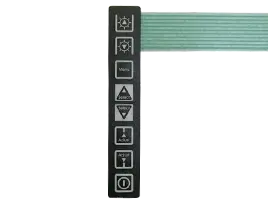
Membrane 8 Buttons - Vertical
Works with: All controllers, uses an Interface board
- NOTE: At this time Brightness +/- is for analog backlight adjustment, not PWM. Contact us for an update on this.
- Button type: Momentary membrane with metal click, self adhesive backing.
- Buttons: Brightness +/-, Power, Menu, +/-, Up/Dn
- Size: 137 x 23mm, FPC lead 150mm
- Operating lifetime: 1 million presses per button
- Part #: 356301121-3 membrane buttons (diagram)
- Part #: 416100120-3 interface board (diagram)
- Part #: 426122200-3 cable, 150mm
Kit - Buttons, interface & cable:
- KIT 67135-3 (PDF) for ALR-1920 (diagram)