Ambient Light Sensor - For LCD
Adding an ambient light sensor to a monitor or display system can enable either auto-dimming of the backlight or auto-standby power on/off. A delay can also be added to reduce response times, ie to react to persistent ambient light changes.
Digital View currently provides the ambient light sensor options listed below and we are progressively An ambient light detector add-on board that auto-adjusts the LCD/LED panel backlight brightness based on ambient light. A connected sensor (included in the kit) monitors ambient light levels at 10 second intervals, the Autobrite+ board uses serial (RS-232) commands to adjust the backlight via the controller.
For a summary of the current ambient light sensor support see: Ambient Light Sensor Summary (PDF)
Links & Downloads
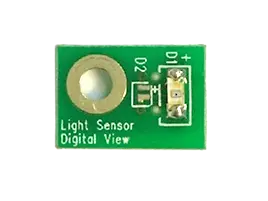
Light Sensor - 2 pin, PCB mount
- PCB mounted light sensor connects to CN6 on compatible LCD controller boards.
- Works with: SVX-4096, SVX-4096-120, SVX-4096-VW, HX-4096, SVX-2560, SP-4096-120, SVX-1920-PRO, DT-1920-HDMI
- Software: TCP-IP Serial Utility for setup
Ordering information:
- Part #: 416021310-3 or 416021330-3 Light sensor board
- Part #: 426305900-3 Light sensor cable, 1250mm
DOWNLOAD
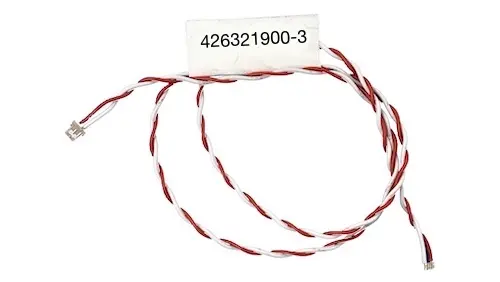
Light Sensor - 2 pin, Cable mount
Cable mounted sensor connects to CN6 of a matching controller directly. Setup is via TCP-IP Utility or Controller Utility.
- Works with: SVX-4096, SVX-4096-120, SVX-4096-VW, HX-4096, SVX-2560, SP-4096-120, SVX-1920-PRO, DT-1920-HDMI
- Software: TCP-IP Serial Utility for setup
Ordering information:
- Part #: 426321900-3 Light sensor & cable
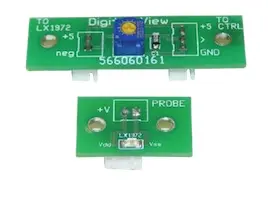
Light Sensor - 3 pin, PCB mount
PCB mounted sensor connects to CN9 of compatible LCD controller boards.
- Works with: SP-4096, SP-1920, SVX-1920v3, ALT-1920
- Software: TCP-IP Serial Utility for setup
Ordering information:
- Kit: 70220-3
DOWNLOAD
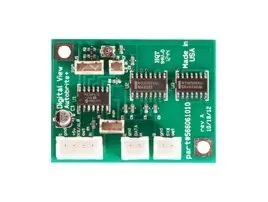
Autobrite+
- Custom programmable with functions controlled via RS-232.
- Works with: All controllers via RS-232
- Input: Light sensor
- Communication: RS-232
- Board size: 1.825" x 1.375" (46.4 x 34.9mm)
- KIT: 70307
- Part #: 566061010 Autobright+ board
- Part #: 426005800-3 Light sensor & cable, 460mm
- Part #: 426005000-3 RS-232 cable, 440mm
DOWNLOAD